This tool allows you to easily create a VFX shot list with clip timecodes and additional metadata from a sequence file. You can also add more metadata by merging data from ALE files.
This tool allows you to create a VFX shot list from a sequence file. Simply upload an XML or EDL file from your sequence and export the list as Excel, OpenDocument or CSV file (e.g. for MS Excel, Google Sheets or Apple Numbers).

Edit Decision List CMX3600 (.edl)
Final Cut 7 XML (.xml) from Premiere Pro or DaVinci Resolve.
Final Cut Pro XML (.fcpxml) [Experimental]
You can upload ALE files to automatically add more technical metadata to your VFX sheet. When merging metadata, be sure to select a merge option that is unique.
This option allows you to automatically generate shot IDs. There are several options to choose from, but most of them require additional metadata from ALEs to work.
For a better overview, the tracker document should be provided with thumbnails or preview screenshots. This step can be partially automated:
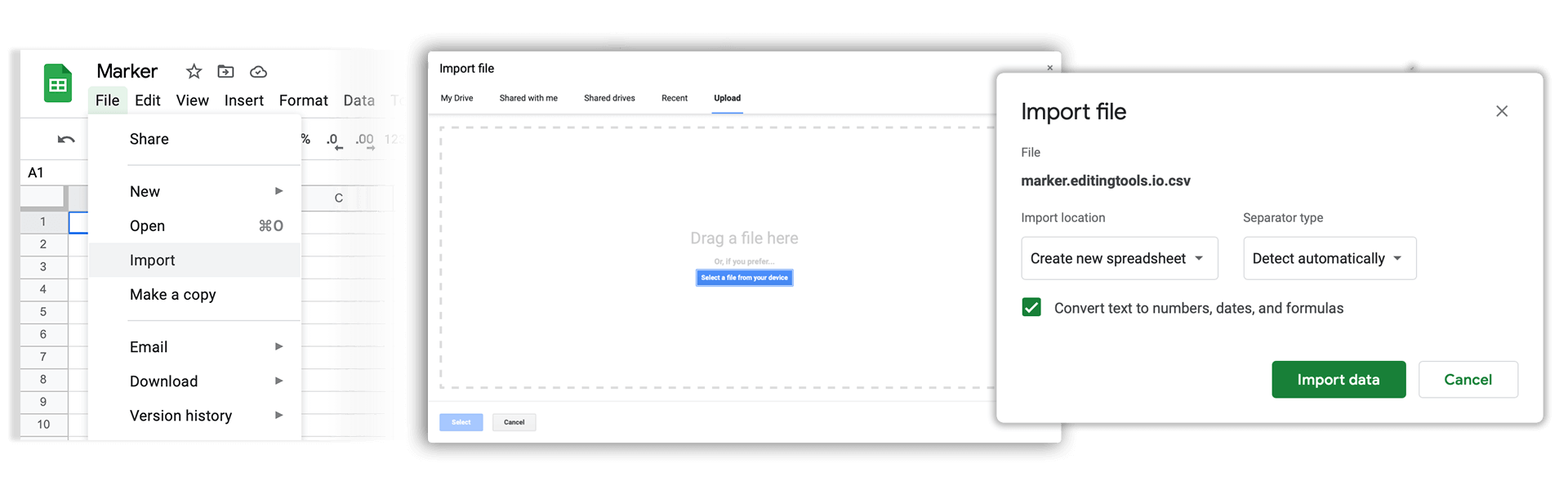
Open Google Sheets and go to "File -> Import". Upload the generated CSV file and press "Import Data" to generate a Sheet with all shots.
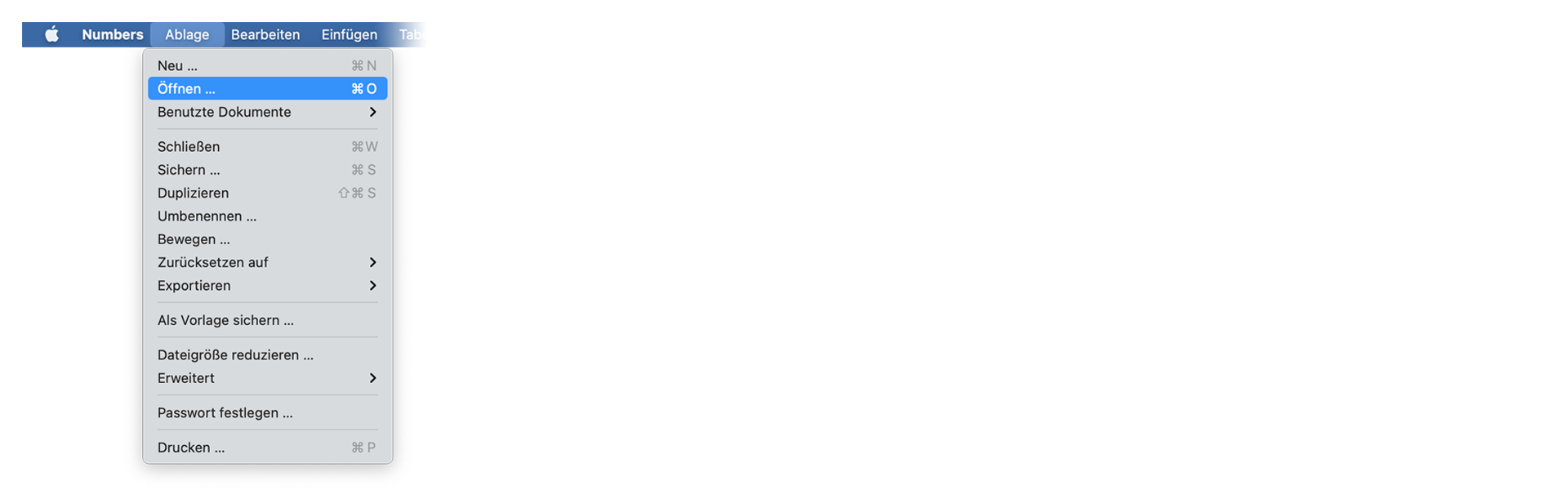
Open Numbers and go to "File -> Open". Simply open the CSV file.
This tool is currently in the testing phase and we would like to know what features you would like to see in this tool. We would be happy to add your wishes to make the tool perfect.