1. Use the "标记转换器" to convert a CSV file into a Final Cut 7 XML marker file
Open the free 标记转换器, select "CSV" and set "convert" to "Adobe Premiere Pro > Sequence (.xml)". Generate and download the file. 如果您在转换文件时遇到问题,可以联系免费支持。
Ensure that the CSV file contains columns labelled "Timecode In", "Name" and "Comment". Otherwise, it will not work. You can also add columns for 'Colour' and 'Timecode Out'.
2. Import the Final Cut 7 XML marker file into Adobe Premiere Pro
To import timeline markers, go to "File -> Import" and select the XML file.
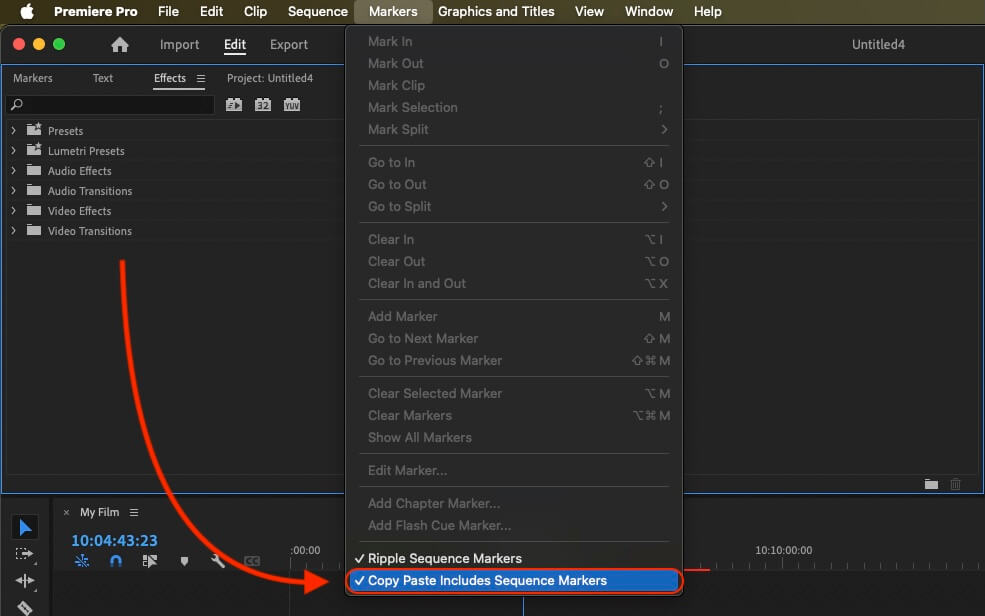
If you want to copy these markers into the existing sequence, use the adjustment layer or any other video as placeholder. Then copy the clip and switch to your existing sequence. Move the cursor to the location, where the adjusmtent layer or first marker appeared in the other sequence. Then past it. It will only copy the timeline markers if under setting (in the Markers menu) the option "Copy Paste Includes Sequence Markers" is active.
🚀 完成
暂时就是这些!如果您觉得本教程有用,请分享它以支持我们。如果您对改进工作流程有任何建议,请告诉我们!